
How to Make 8 Bar DJ Intro Edits
Introduction
If you want a Comprehensive PDF that breaks everything Down Step by step, with illustrations, additional tips, and links to other free ESSENTIAL DJ resources, click the link above!
Hello and welcome to DJs in Reno where I cover all things DJ related.
My name is DJ Jon, and today I'm going to teach you how to make your own custom 8-bar DJ intro edits for free.
This video is based on the DJ intro edit maker PDF that I offer is a free download on my website.
It visually organizes all of the information I'm going to share with you today into 5 simple steps and it's a great free resource to have on your computer whenever you want to make DJ intro edits in the future.
I can't believe I'm giving it away for free, but I am.
Go check it out!
And, Make sure you read this article until the end for a CRITICAL bonus tip!
Let's get started.
Step 1: Detect BPM
For this tutorial I'm going to be using rekordbox and Ableton, but you can use any digital audio workstation for this.
Rekordbox has a free version, and Ableton also has a free trial, I will leave a link in the description.
The first thing I need is an audio file that I'm going to use to make my intro edit.
In this case, I'm going to be using a real world example which is the song A Milli by Lil Wayne, released in 2008.
I think this is a great example to use for this video because essentially everyone knows this song, it's recently increased in popularity and despite looking online, I could not find a good high quality eight bar DJ intro edit of this song.
So, let's make my own!
First I am going to load this MP3 into rekordbox.
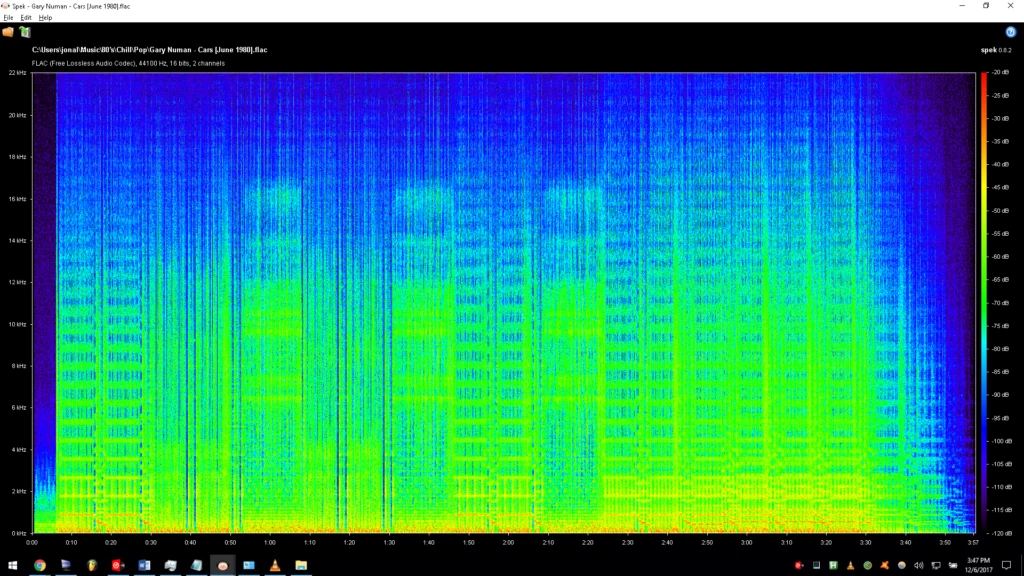
And here I can see that the BPM is 76.0.
Now I am going to load the MP3 into Ableton, and set the project tempo to 76.0.
Now let's just listen to this MP3, and hear what happens when.
So there's a couple things that I notice right off the bat.
Step 2: Trim Intro
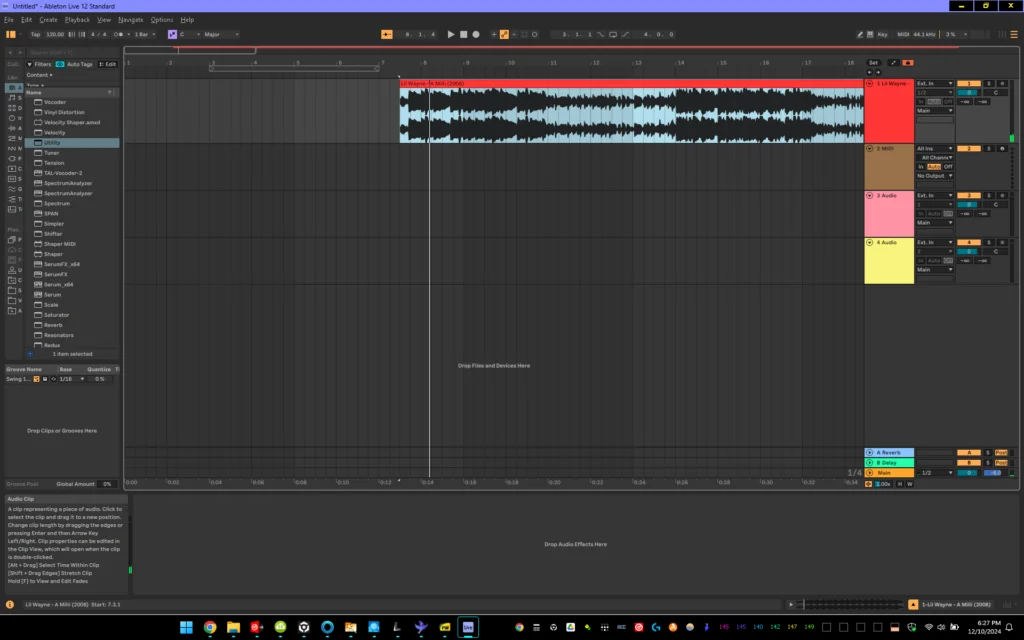
The first is that he's got that little piano piece and vocal in the intro, and I don't really want that so let's go ahead and get rid of that.
This is a very important tip in this video because the one place that you generally never want vocals in a track is in the intro.
Especially when you're DJing hip hop and pop songs because you're usually playing the intro of track b over the chorus of track a which will have vocals.
So if you play the vocals of both tracks at the same time, you're probably going to experience vocal clashing which sounds bad and is quite confusing.
The next thing I notice is that the 808 is not aligned.
So I need to align that To ableton's beat grid, by removing the empty space at the beginning of the track.
Now luckily in this song, Lil Wayne gives us a few bars of intro that have some heavy 808 bass, and some drums, that will be perfect for the intro.
Transitions sound way better when you have sub bass in the introduction.
It's a fantastic way to hand off the loudest and often most important part of the track to the next track.
It alerts the dance floor that a chain is coming, and if it's a popular song like a Milli, people will often be able to tell what the next song is as soon as the transition starts.
When you align everything correctly, the transition begins and ends over eight bars. It flows smoothly, carrying energy from the last track into the next track, and building excitement and tension on the dance floor.
Step 3: Split Clip and Rearrange
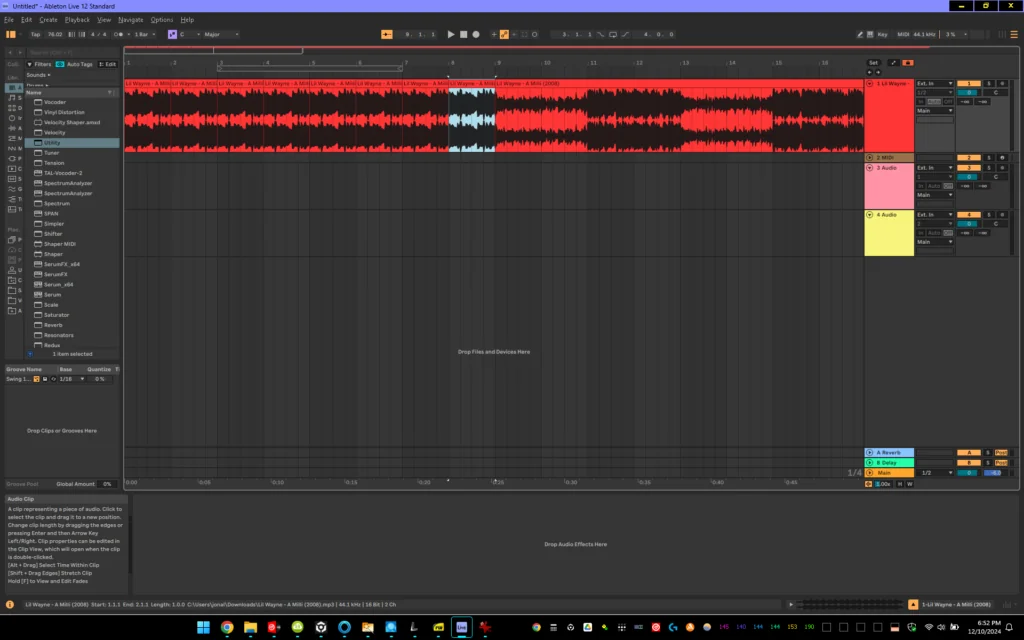
I just have to arrange those bars into an introduction.
To do this, I'm going to find right where the verse starts which is right here.
I'm going to use Ctrl + E to split the track.
Then I'm simply going to drag the start of the verse to bar 9.
Everything before this point will be intro, and the first verse (meaning vocal) will start right on the 9th bar.
Step 4: Copy and Paste
Now, highlight the 1st Bar you want to copy, and press CTRL + B.
This will "paint' that bar until the next audio input.
In my case, this will paint the 1st bar until the verse, or bar 9.
Step 5: Clean Up
However, There is a litlte pop that I can hear during the transition between each bar.
This is because the transient from where I painted isn't quite lined up.
Simply drag and drop the transient shaper bar to the left, and paint the corrected bar until the verse.
This is going to smooth out the transient between the two bars.
It's going to make the transition from the first bar to the second bar perfect.
This will remove that annoying little pop that I was hearing earlier.
Make sure you play the first and the second bars back to listen to them to make sure that they sound correct.
Then it's a matter of selecting the first bar again, and pressing Ctrl b.
On the keyboard.
This will paint the first bar up until the intro, on bar 9.
Next, listen to what I have done so far to make sure that everything sounds correct and everything lines up.
I am almost done!
The very last step is going to be to export the file.
Step 6: Export
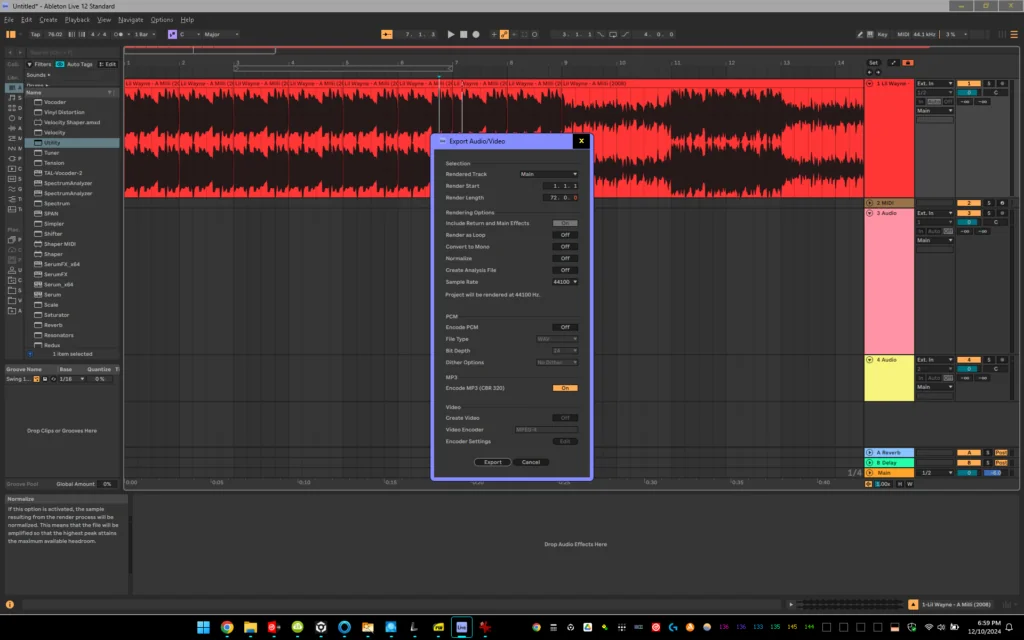
Press control shift r on your keyboard.
This will bring up ableton's export menu.
Make sure that normalize is set to off on the export menu.
This is a critical tip and it's something that took me a lot of time to figure out when I was first getting started.
The reason that I want normalize set to off is because I am editing a track that is already mastered.
If I normalize a mastered track, it's going to reduce the amplitude of the track.
This is not good because I want everything to be as loud as possible when I'm playing it for a crowd, on a big system!
Keep in mind that this is an easy example.
Not all songs are going to give you a bar right in the intro that you can copy and paste into a quick and easy eight bar intro.
Certain songs you might have to look through the entire song to find that bar, or you might have to piece it together.
Summary, and additional Info.
Now that I've taught you how to make your own custom 8 bar DJ intro edits, let's talk about why you would want to.
The songs that you hear on the radio are radio edits.
The songs that you hear in the club are club edits.
Intro edits are special versions of tracks. They generally have a dedicated 8-bar intro at the beginning of the track.
This is the perfect length for a DJ to mix in with.
In an 8-bar introduction, you want sub bass, percussion, instruments, but no vocals.
This will allow you to tease in elements of the new track during the transition.
Why don't you want vocals in the introduction? Because you play the introduction over the chorus of track a, where there will be vocals.
When you have two vocals at the same time, it is very confusing and disorienting to the listener.
They don't know who to listen to, it's just like in real life.
I don't listen to two people talking at the same time, because it's difficult and confusing.
I listen to one person talking at one time.
Having an eight bar transition makes it easy to have perfect transitions 10 out of 10 times when you are DJing.
This is true whether you are DJing in a club, at a festival, at a wedding, or any other gig.
Do you want to start DJing for fun, or are you interested in DJ lessons? check out the five first skills that I teach my students in this article.
Conclusion
Thank you so much for checking out my website, and for downloading my PDF.
It took me a long time to learn these skills.
And it took me even longer to compile them into a free PDF, a website article, and a video on YouTube.
I hope that it helps you and I hope that you find the information in this post helpful.
Do you want to learn more about DJing?
Are you interested in DJ lessons?
Please reach out through my contact form!