
6 Reasons Why Virtual DJ is the Best DJ Software
Table of Contents
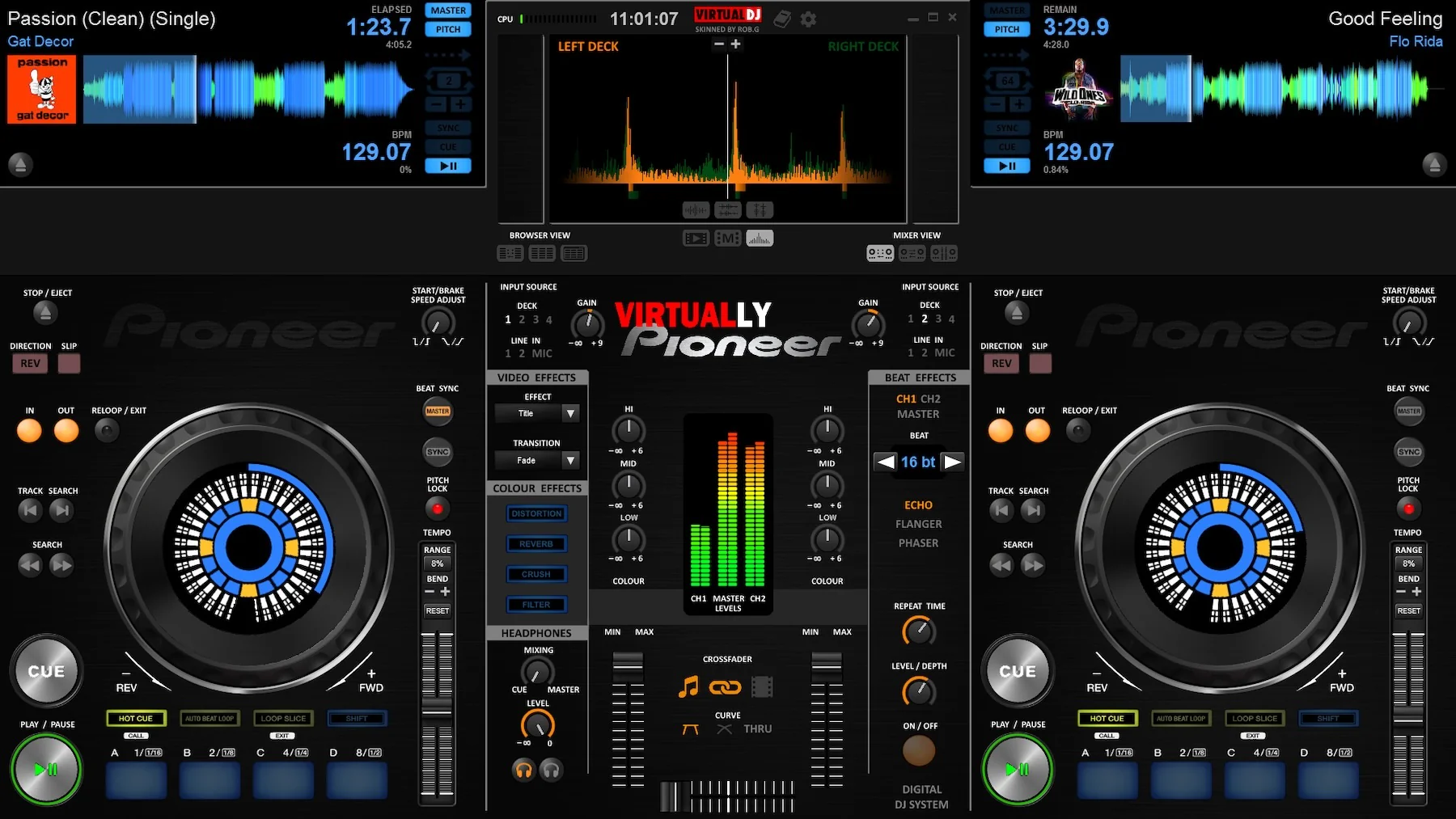
Virtual DJ has been my favorite DJ software for years. I started out as a bedroom DJ, and now play some of the biggest clubs in San Francisco. I don't always use a laptop anymore, but when I do, I always use Virtual DJ. The versatility of the software and the freedom of customization that it allows make it the best in my view. Here are some of the specific reasons why it's the best!
1.) Custom Skins
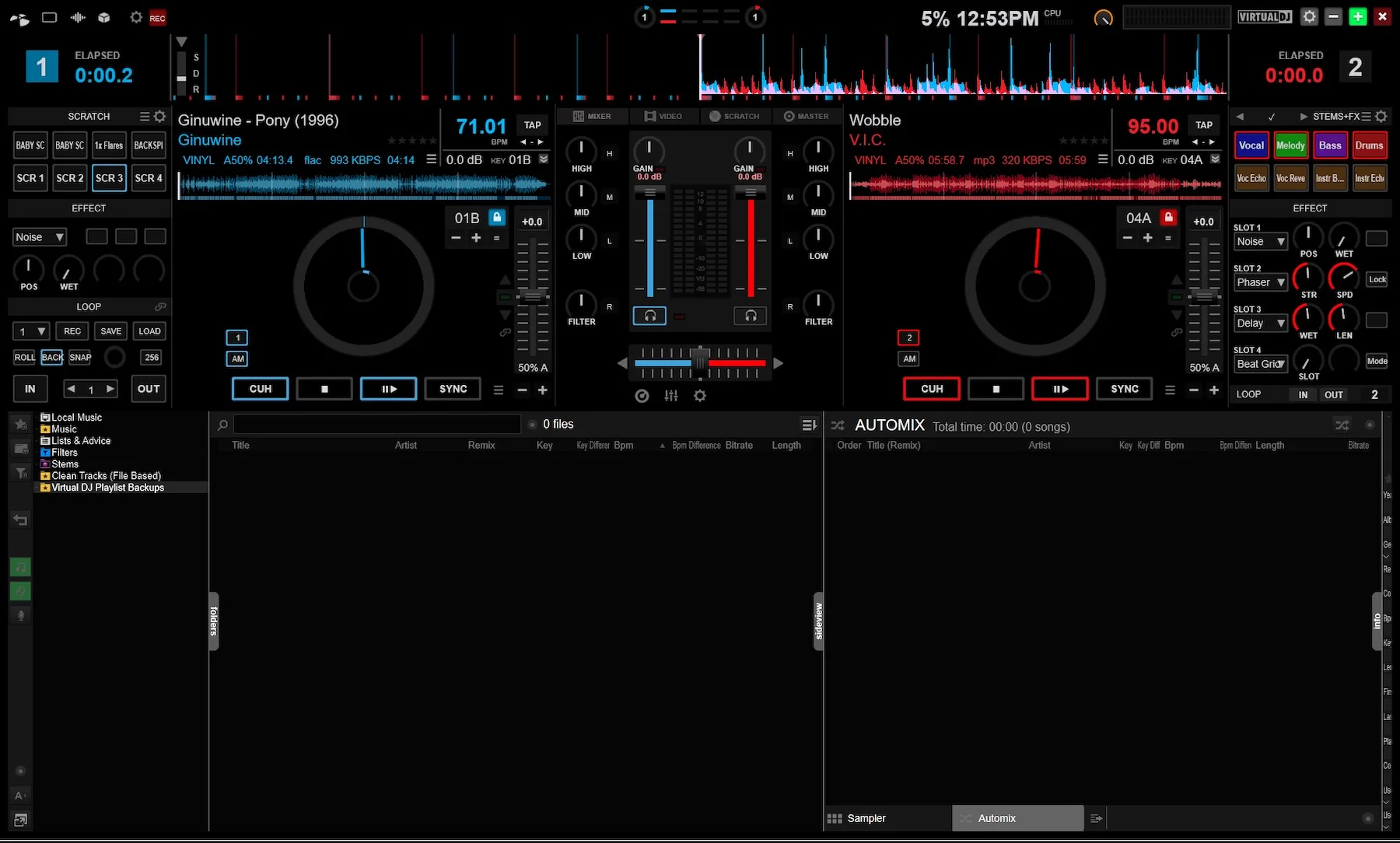
Custom Skins is the best feature of Virtual DJ. Why? Because you can choose from thousands of skins online for free. Or, you can even make your own.
Do you want Virtual DJ to look like a Pioneer CDJ-3000? Or an old school Technics turntable? You got it.
Do you want expert level settings on your UI? Or the basics?
Download your desired skin, and load it into Virtual DJ.
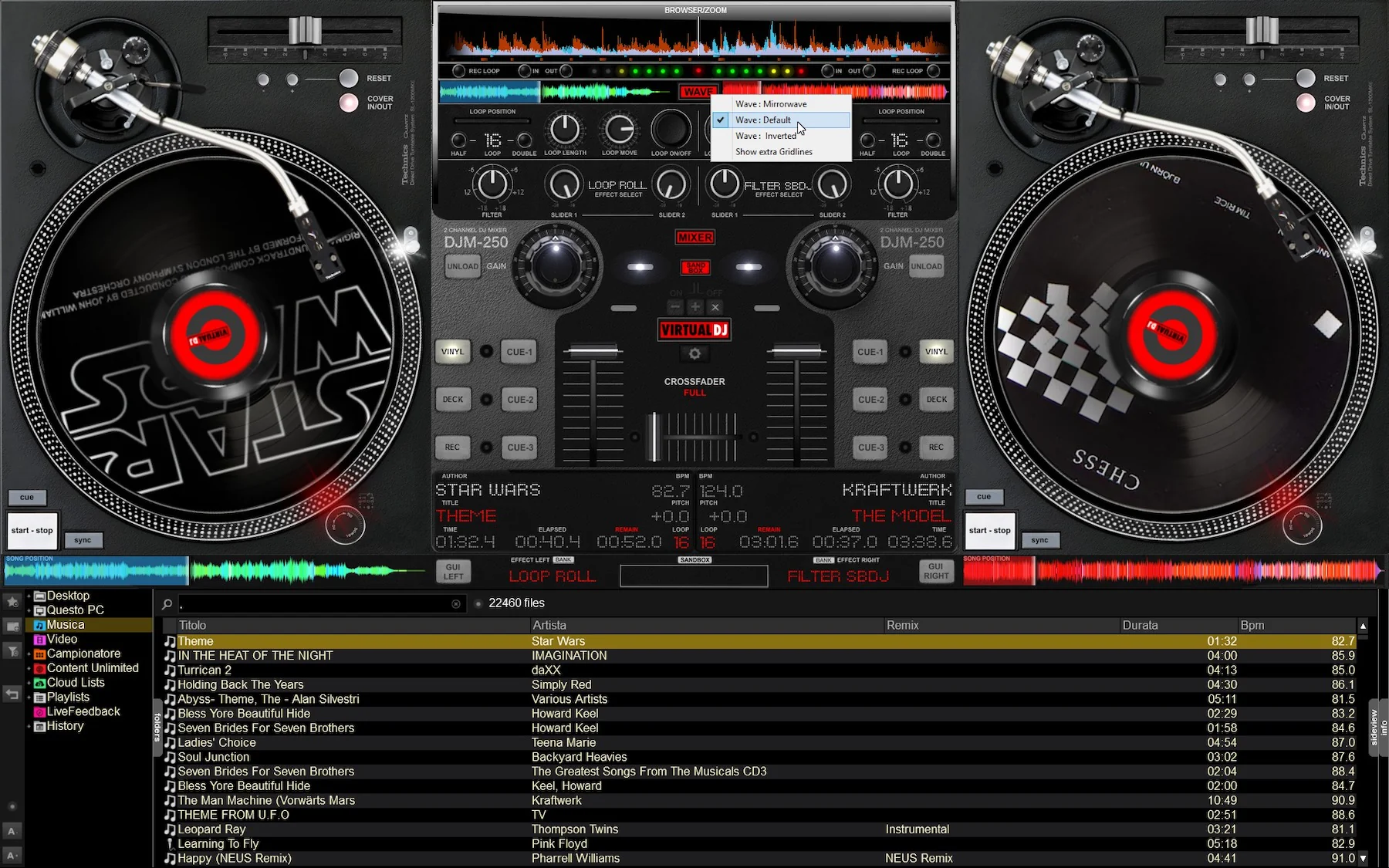
I use a skin called "V8" by Fruit. Here is a screenshot of what it looks like.
I love this skin because of the high contrast, black background, and advanced options.
This skin is also particularly interesting because it allows for stacked waveforms. This means that you don't have to compare two waveforms. What you see in the waveform preview is what comes out of the speakers!
2.) Programmable Key Mapping
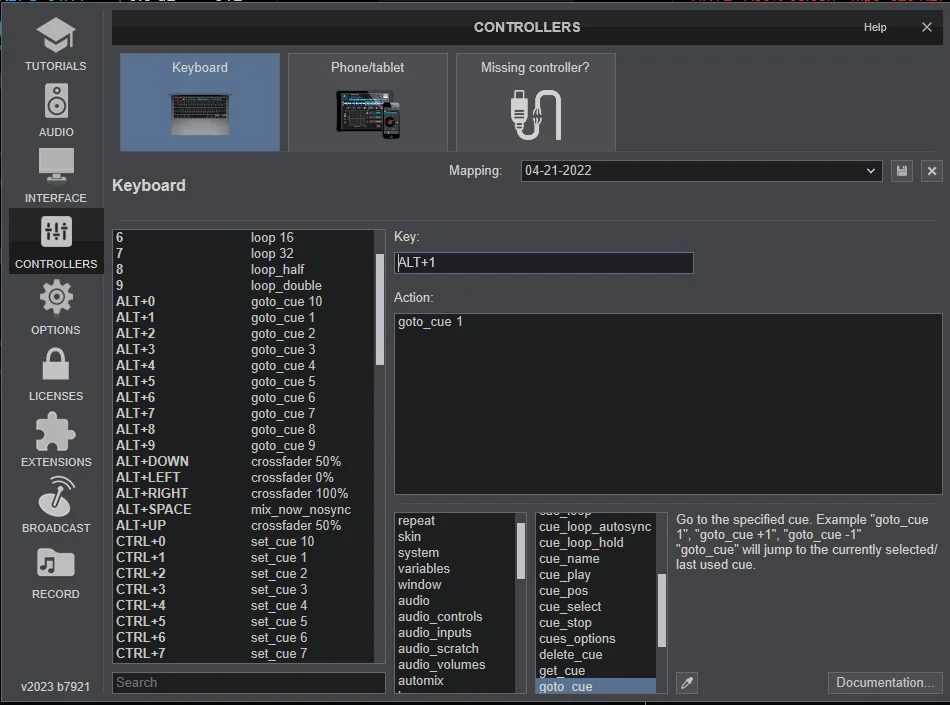
If you want to pause a track when you press P on the keyboard, program it!
If you want to toggle the lows on a song without using the filters, program Virtual DJ to do this when you press Ctrl + L.
If you want to toggle select between Deck A and B, use the Tab, and Ctrl + Tab key combinations.
Programmable key mapping makes Virtual DJ versatile and customizable.
These are only a few examples.
You can also use custom key mapping for triggering effects, modifying crossfader, volume fader, loops, cues, etc.
To access the key mapping settings menu, click on Settings > Controllers. In the bottom right, click on Advanced Editor.
In this menu, when you press a key or key combo, Virtual DJ will listen and allow you to assign that key combo to an action.
Click on the save button in the top right to save your new configuration.
This high level of customization allows you to play professional sets on your laptop.
I always use Virtual DJ on my laptop for weddings, or corporate holiday parties. This allows me to take requests live. It also allows me to play Spotify, and transition to my CDJ-3000s when it's dance time.
3.) Incredible Compatibility with Hardware
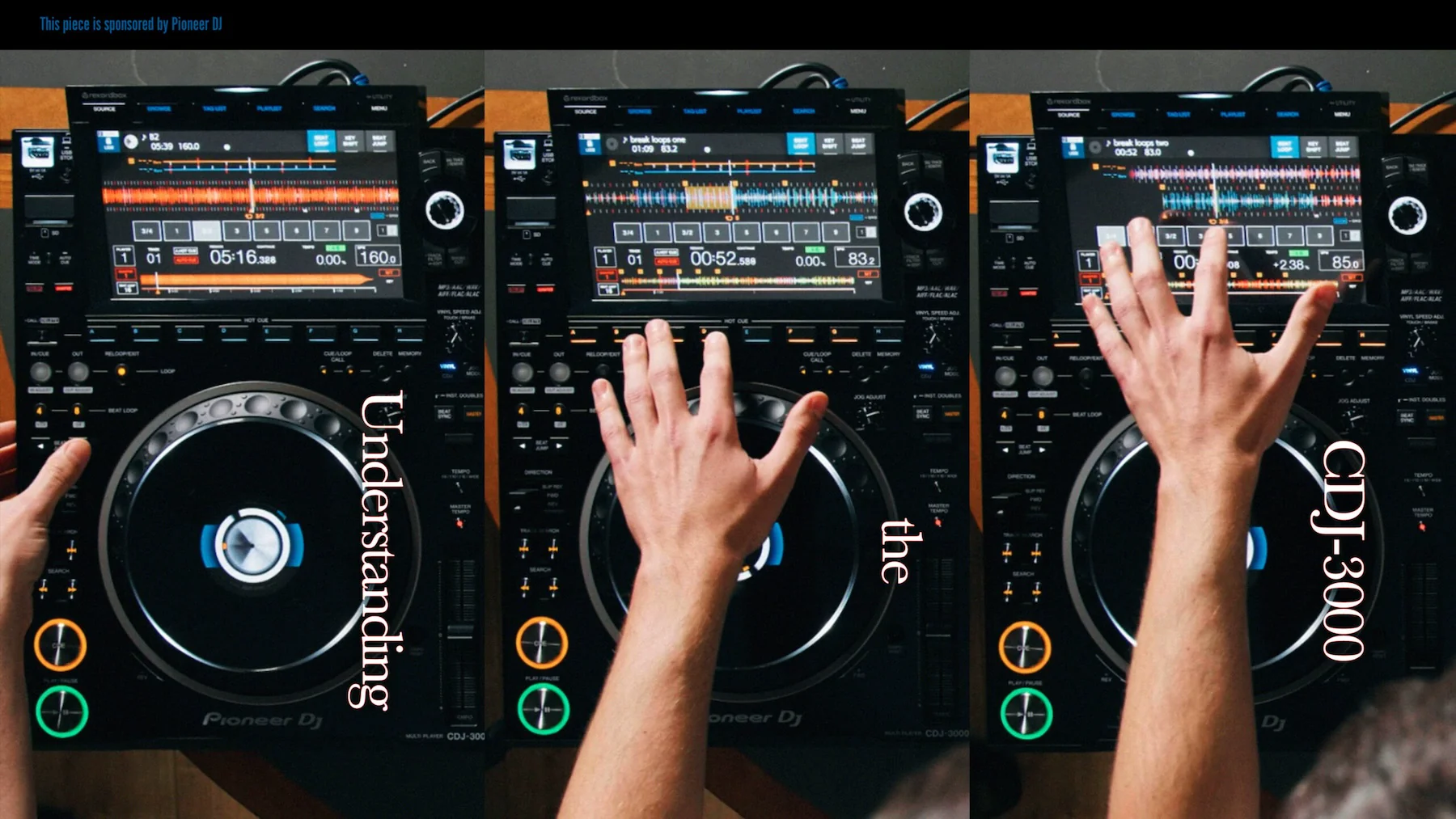
If you have a DJ controller, chances are that Virtual DJ supports it.
Virtual DJ supports everything from the Pioneer DDJ-SX to the Pioneer CDJ-3000s.
Make sure that you have the correct drivers installed for your DJ Controller.
Then, navigate to the controller setting page. From here, you can select your controller and adjust settings.
Then, head over to the audio tab, where you can program your audio settings.
4.) Stability
As a wedding DJ, you need both software and hardware that is going to work when you need it to.
The last thing you want when DJing a wedding or professional event is your DJ software freezing.
Virtual DJ has never once failed on me, in the 10+ years I've been using it. Virtual DJ employs a special crash guard feature to ensure that the music keeps playing.
Virtual DJ will warn you when your battery is low. It also has a CPU monitor. This allows you to ensure that your software and hardware will keep running.
I also use Core Temp to monitor my core temperatures while performing. Heat is the bane of laptop DJs!
5.) Built in Video Jockey Support For Karaoke
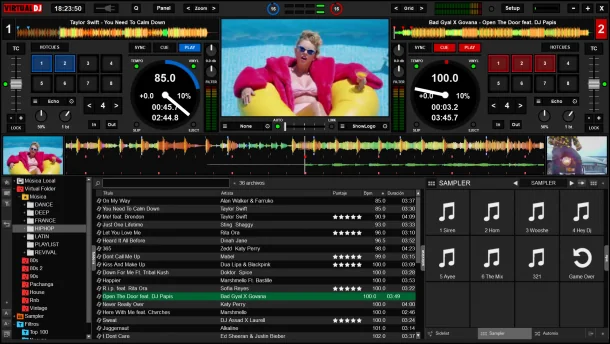
To use Virtual DJ for karaoke, load a video file into the deck.
A video screen will pop up, and Virtual DJ will output the video and audio of the selected file.
You can even mix between videos, like you would songs.
6.) Free to use!

The best part about Virtual DJ is that it is free to use at home. Keep in mind that you will need a license or subscription to use Virtual DJ with a controller.
It is also easy to learn how to use. There are many great video tutorials walking you through how to use Virtual DJ.
This is why I always start out my students on Virtual DJ. There is no barrier to entry, and it is incredible software that is available for free.
Not everyone owns a pair of CDJ-3000s. Two CDJ-3000s, and one DJM-900NXS2 will cost you about $10,000.
The paid version only costs $300.
You can also get a cheaper monthly subscription, or buy individual licenses for DJ controllers.
Want to master Virtual DJ with personalized instruction? Book private DJ lessons today
Conclusion
From custom skins to programmable keyboard shortcuts, Virtual DJ allows for deep customization, and it is the ideal choice for karaoke DJs and video jockeys.
While I don't always DJ on Virtual DJ anymore (I now play on CDJ-3000s), I always use it when I'm DJing on a laptop.
To try Virtual DJ for yourself, download a copy at VirtualDJ.com
Or, if you want to learn it hands on, check out my private, one on one DJ Lessons!
